Explore device information
Browse standard and vendor-specific points and inspect the details exposed by the device.

Explore SNMP device information before building the application. Use discovered points and MIB context to prepare the associated CXS communication configuration.
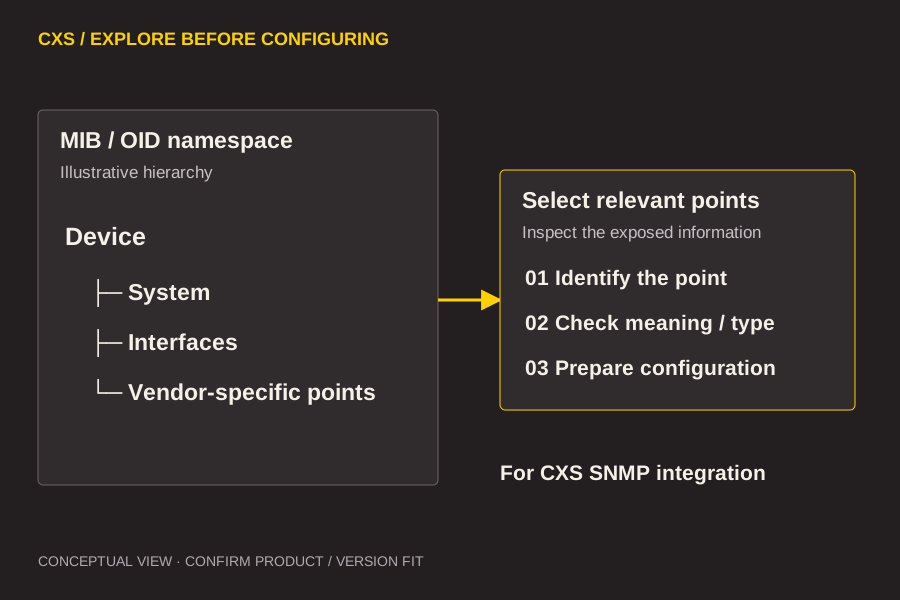
Start with the information you need, the system it comes from and the application it must serve.
Browse standard and vendor-specific points and inspect the details exposed by the device.
Load the relevant MIB files to make device namespaces easier to interpret.
Prepare configuration for the associated CXS SNMP integration or OPC DA server.
Use this relationship to frame the technical discussion. Exact module placement and capabilities depend on the selected product and version.
The discovery tool and the runtime connection have different jobs. Use the first to understand and prepare; use the second to bring the required information into the application.
Use these questions to shape a focused technical evaluation.
Existing documentation lists SNMP v1, v2 and v3 and trap visibility. Confirm the target devices and authentication setup.
Review the mapping between discovered points and the communication component you intend to use.
The documented extensions include rack/PDU profiles. Confirm availability and the template workflow against your specific equipment.
Tell us what you are connecting, the platform you use and the work you need to do.
Discuss your project